
Memory and startup measurements
Results
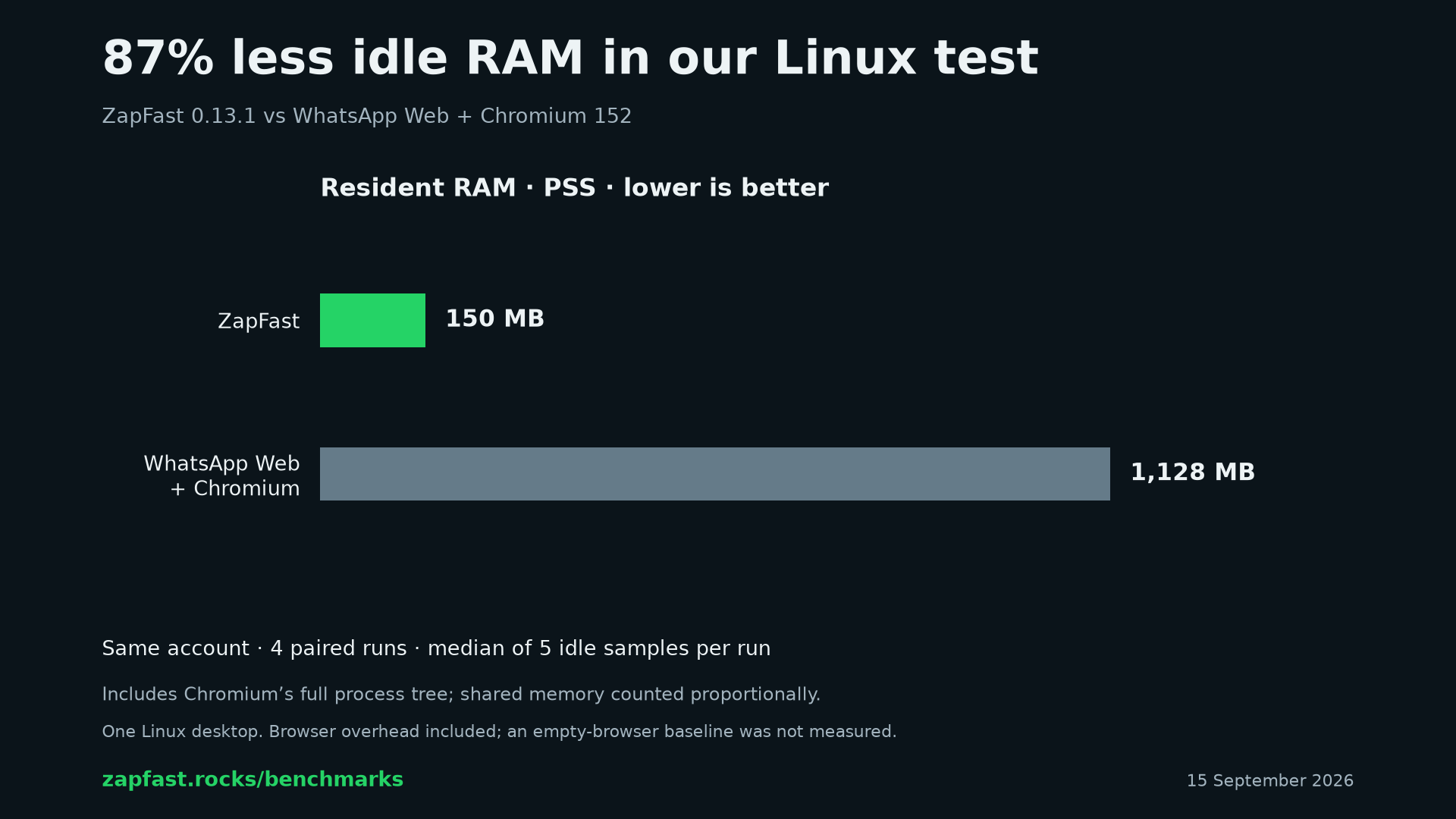
ZapFast used 150 MB of idle RAM, compared with 1.13 GB for WhatsApp Web and its Chromium processes. Both clients were linked to the same account. These are medians from four paired runs on one Linux desktop, measured on 15 September 2026.
ZapFast 0.16, with in-app video and image previews, animated stickers, and more of the interface, uses about 200 MB idle on the same desktop. The table below is the measured 0.13.1 run.
| Measurement | ZapFast 0.13.1 | WhatsApp Web + Chromium |
|---|---|---|
| Idle RAM, PSS | 150.0 MB / 143.1 MiB | 1,127.6 MB / 1,075.4 MiB |
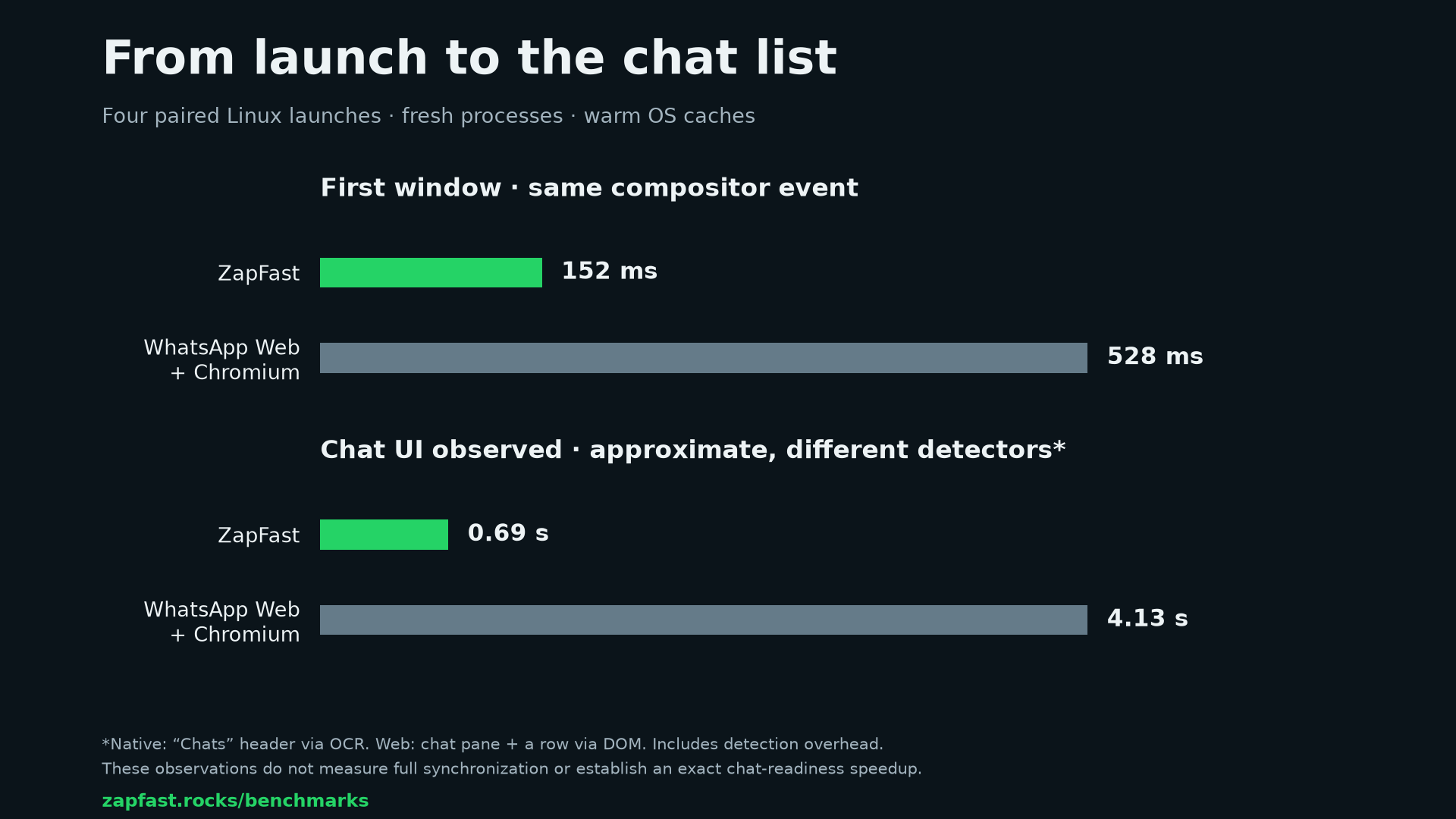
| Process start to first window | 152 ms | 528 ms |
| Chat UI observed, approximate* | 0.69 s | 4.13 s |
The chat display took longer on the web. The distinction between the two timings matters: a browser window can appear while WhatsApp is still loading. The first-window measurement uses the same compositor event for both apps.
The chat-UI observations use different detectors: ZapFast’s generic “Chats” header in a cropped screen capture, and WhatsApp Web’s chat pane with at least one row in the page. Both include detection and window-placement overhead. They illustrate what we observed; they do not establish a precise multiplier for time to a fully usable or synchronized conversation.
Download the memory chart · Download the startup chart
The four runs
Each RAM figure is the median of five idle samples. The headline figures are the medians of these four runs. MB and GB use decimal units; MiB uses binary units.
| Run | ZapFast RAM, MiB PSS | Web + Chromium RAM, MiB PSS | ZapFast first window | Chromium first window |
|---|---|---|---|---|
| 1 | 147.9 | 1,093.1 | 156.0 ms | 526.2 ms |
| 2 | 143.1 | 1,071.8 | 154.1 ms | 516.9 ms |
| 3 | 143.1 | 1,057.3 | 150.3 ms | 548.6 ms |
| 4 | 129.4 | 1,078.9 | 150.8 ms | 529.6 ms |
Download every sample as CSV or JSON. All completed pairs are included. A fifth pair was interrupted before its first memory sample and is excluded.
How we measured
Machine and software. AMD Ryzen 5 7500F, 62.4 GiB usable RAM, Arch Linux 7.2.3, and Hyprland. ZapFast was the installed 0.13.1 release, using real linked chats. Chromium was version 152.0.7977.82, with a dedicated profile, one WhatsApp Web page, and no installed extensions. The regular browser profile remained open in the background.
Launches. Each tested application was fully stopped before launch. The
linked account, local data, and caches were retained. These were fresh
processes with warm OS caches, rather than starts after a reboot or reopening
from the tray. Application order alternated between pairs. A monotonic timer
started immediately before process creation; a Hyprland IPC listener recorded
the new window’s openwindow event and checked its process ID.
Idle state. Each app showed its chat list in a foreground window sized 1280 × 800 logical pixels. After detecting the chat UI and waiting ten seconds, we took five memory samples separated by a one-second sleep.
RAM accounting. We summed Pss from /proc/PID/smaps_rollup for the
application’s processes. PSS assigns each process its proportional share of
shared pages, so summing it avoids counting those pages repeatedly.
The Linux kernel documentation
defines the metric. Chromium’s total includes its browser, renderers, GPU,
utility, zygote, and crash-handler processes: 14 processes in these runs,
compared with one for ZapFast. Neither app had swapped memory in the samples.
What the comparison covers
- One Linux machine and one account. Local history and caches differ between clients. Memory use changes with workload and session length. These measurements do not cover macOS or Windows.
- WhatsApp Web together with its dedicated browser. We did not measure an empty-browser baseline. The numbers do not establish the incremental cost of adding a WhatsApp tab to an already-open browser. Shared pages with the existing browser profile affect PSS attribution.
- Resident system RAM. GPU VRAM and all operating-system or compositor overhead are not separately measured.
- Window appearance and observed chat display. These are distinct from completing message synchronization, connecting to WhatsApp, or sending a message. The two chat-UI detectors are not equivalent readiness tests.
The exported data contains only counts, timings, and memory measurements. It contains no messages, contact names, credentials, QR codes, or screenshots of private chats.
Try it
ZapFast is a native WhatsApp client written in Rust for Linux, macOS, and Windows. On Arch Linux:
yay -S zapfast-bin