
WhatsApp on Linux
WhatsApp makes apps for phones, Windows and macOS, and none for Linux. On a Linux desktop you have three choices:
- WhatsApp Web in a browser tab. It works everywhere, but it is a tab: it closes with the browser, and the page with its browser processes takes about a gigabyte of memory.
- An app that wraps WhatsApp Web. It gives WhatsApp a window and a tray icon, but inside it is still the web page and a browser engine.
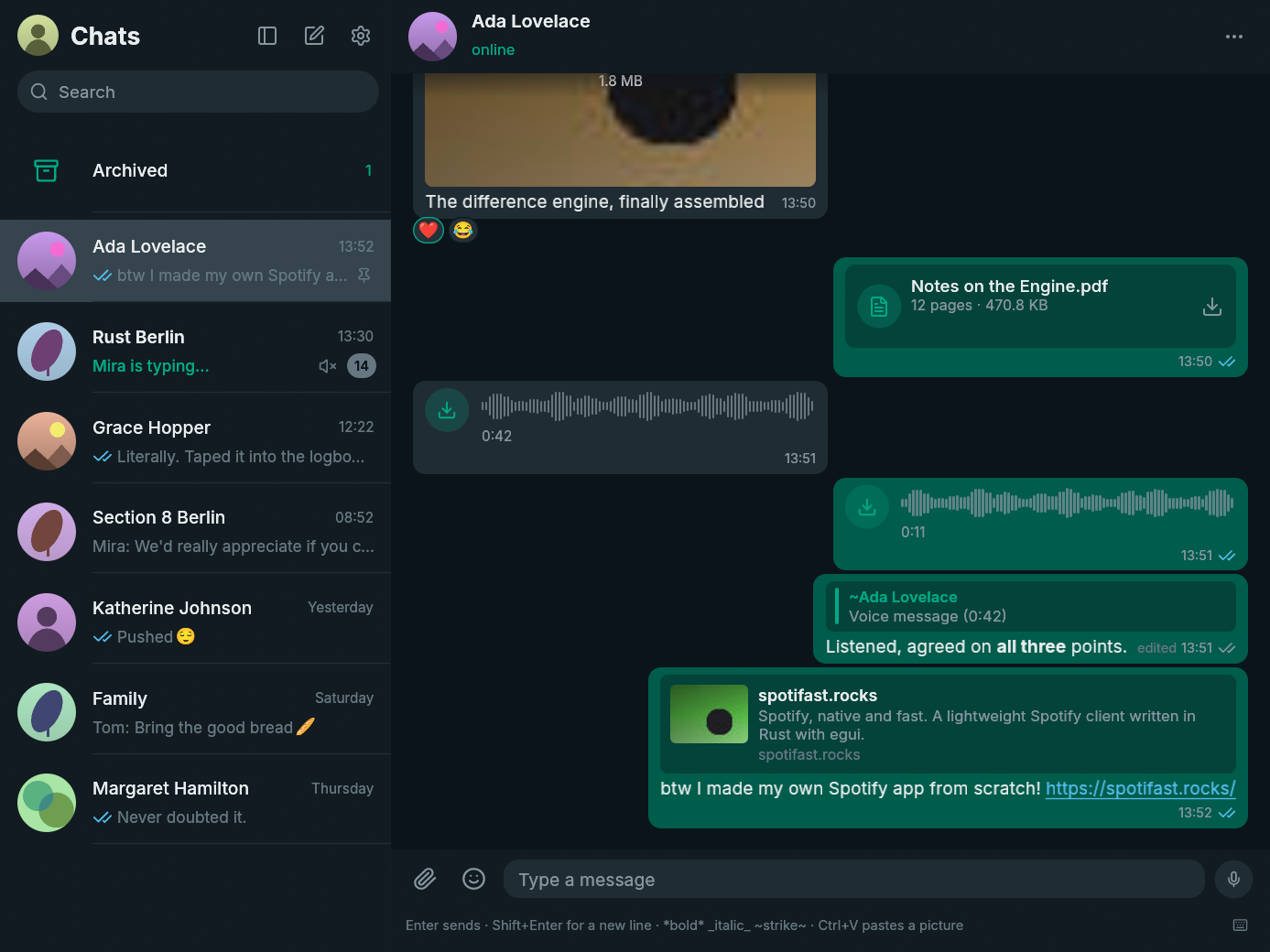
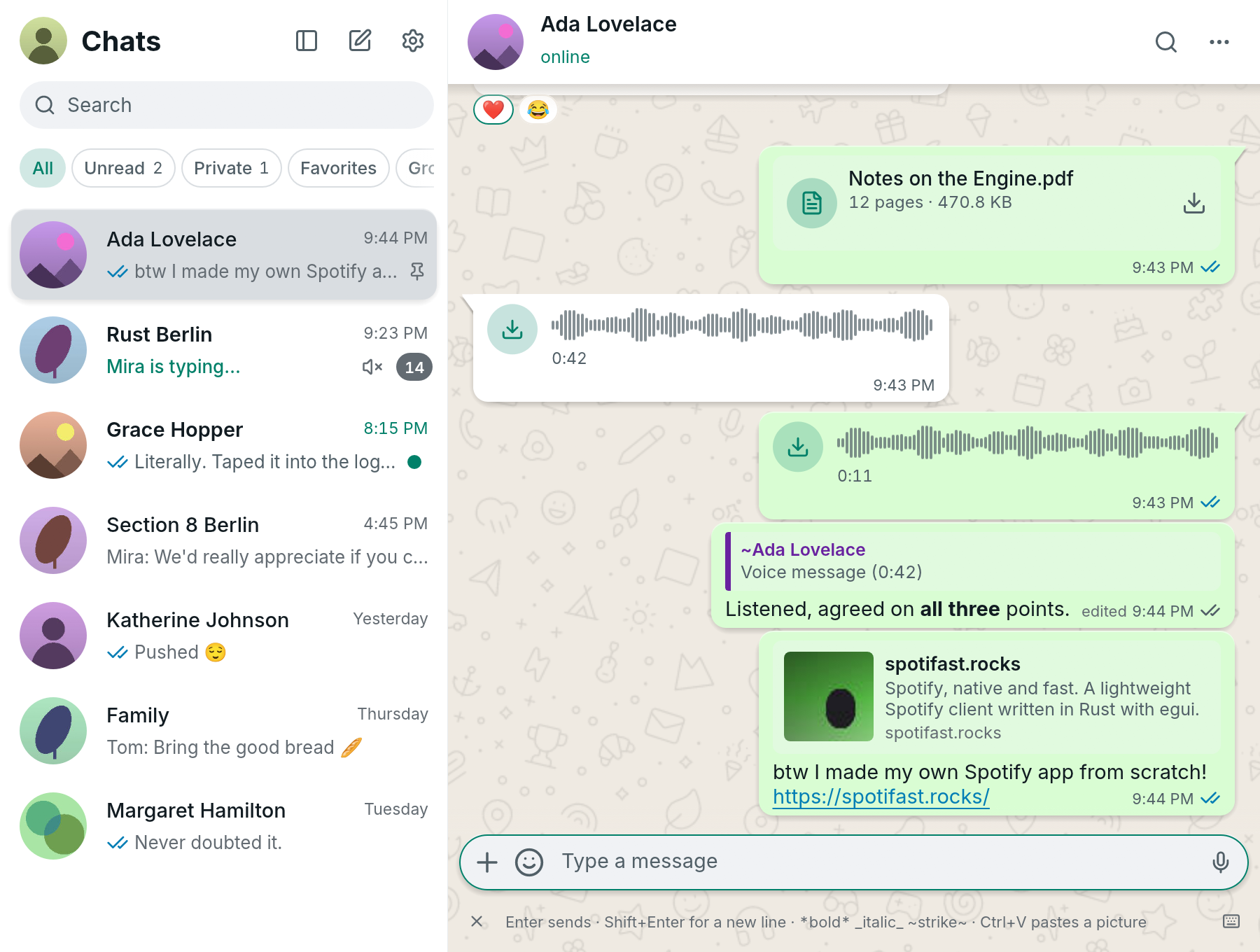
- A native client such as ZapFast. It speaks WhatsApp’s linked-device protocol itself, with no web page and no browser engine.
ZapFast is a single binary written in Rust. In our Linux test it opens in under a second and uses about 200 MB of memory, against 1.13 GB for WhatsApp Web and its Chromium processes. See the measurements.
Install it
Every Linux package is on the download page. In short:
| Distribution | How |
|---|---|
| Arch, Manjaro, CachyOS, Omarchy | yay -S zapfast-bin from the AUR |
| Fedora | sudo dnf copr enable paolino/zapfast, then sudo dnf install zapfast |
| Debian, Ubuntu, Linux Mint, Pop!_OS | the .deb from the download page: sudo apt install ./zapfast_*_amd64.deb |
| Other RPM distributions | the .rpm from the download page |
| NixOS and Nix | nix profile install github:crmne/zapfast, or the Home Manager module |
| Any distribution | the Flatpak bundle, or the AppImage |
Then open ZapFast and link it from your phone, under Linked devices, with the QR code or a code sent to your number. Getting started walks through it.
What it does on Linux
- Your chats, stored on your computer. Messages are kept in an encrypted file, with the key in your desktop’s keyring, and older messages come from your phone as you scroll.
- Voice and video calls. Place and answer one-to-one calls, with your choice of microphone, speaker and camera.
- It stays running. Closing the window keeps ZapFast in the tray, and notifications open the chat at the message they announced.
- Your desktop’s look. Light, dark or the system’s, your own colour themes, and on Omarchy your desktop theme.
- Several numbers. Link more than one WhatsApp number and switch between them in one window.
Everything ZapFast does, and what it does not do yet.
Questions
Can you install WhatsApp on Linux?
Not WhatsApp’s own app: there isn’t one. You can use WhatsApp Web in a browser, or install a client such as ZapFast, which links to your account the way WhatsApp Web does.
How do I use WhatsApp on Ubuntu?
Download the .deb from the download page, install it
with sudo apt install ./zapfast_*_amd64.deb, open ZapFast from your apps,
and scan the QR code with your phone under Linked devices.
Does my phone need to stay on?
No. ZapFast is a linked device, like WhatsApp Web, so it sends and receives messages while your phone is off. Older history comes from your phone, so scrolling further back than ZapFast has stored waits for the phone to be online.
Is it free?
Yes. ZapFast is open source under the MIT licence, and the code is on GitHub.
Is it safe for my account?
ZapFast is an unofficial client, and using one may be against WhatsApp’s terms. It links as a normal companion device and never automates or sends messages in bulk, but WhatsApp may still restrict accounts that use unofficial clients. Account safety says more.